
Clearwater Business Capital
Partner guide
Written for CPAs, advisors, and affiliates who send business owners to Clearwater. This is the path you see: the invite, Partner sign-in, the portal, the link you share, and the application your client fills out.
Start here
Partner portal 101
- Your broker invites you by email. Clearwater sends a one-time link to the email on your account. Open that message.
- You accept and create your account. Confirm your name and set a password. If that email already has an account, sign in with it to accept.
- You sign in with Google, Microsoft, or email and password. Those are the same account. Use the email on the invite.
Sign in
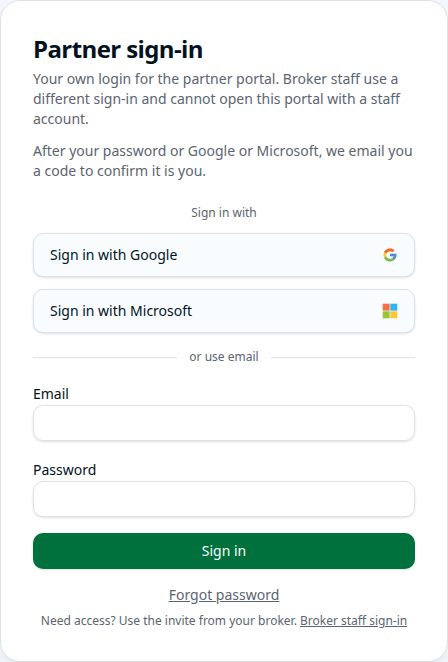
Partner sign-in is at mcabrokerstack.com/partner/login. Google, Microsoft, or email and password — the same account either way.
Your deals
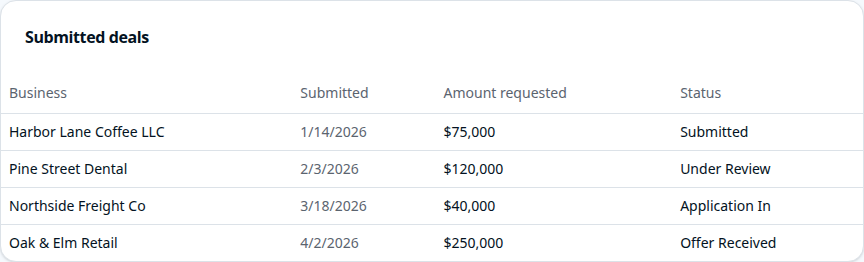
Business, Submitted, Amount requested, and Status. The rows in the picture are examples. Offers, commissions, and lender names stay with Clearwater.
Started
Your client opened an application and has not finished it.
In Progress
They are still filling it out. What they type is saved as they go.
Application In
The application is in, and a Clearwater rep has it.
Action Needed
We need something else before it can move. We will reach out.
Processing
Clearwater is getting the file ready.
Submitted
The file has been sent on for review.
Submitted Missing Bank Statements
It has been sent on, and bank statements are still outstanding.
Under Review
The file is being reviewed.
Needs Another Wave
The first pass did not land. Clearwater is taking another look.
Offer Received
An offer is on the file. The offer itself stays with Clearwater.
Approved
Approved. Closing steps are under way.
Closing
Contracts and the last items are in progress.
Funded
The business was funded.
Declined
The request was declined.
Archived
Clearwater closed the file out.
Abandoned
The client did not finish the application.
Submit a deal
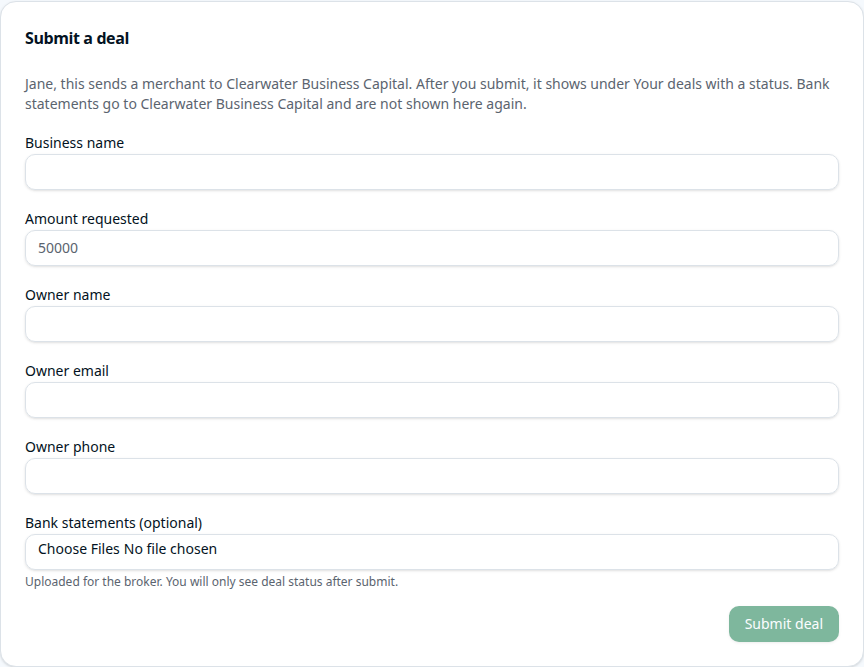
Business name is required. Amount, owner, and bank statements are optional, and the statements go to Clearwater. After you submit, you only see the status.
If you do not have an invite yet
Sign up on the partner page
Three addresses open the same application. Use whichever link we sent you.
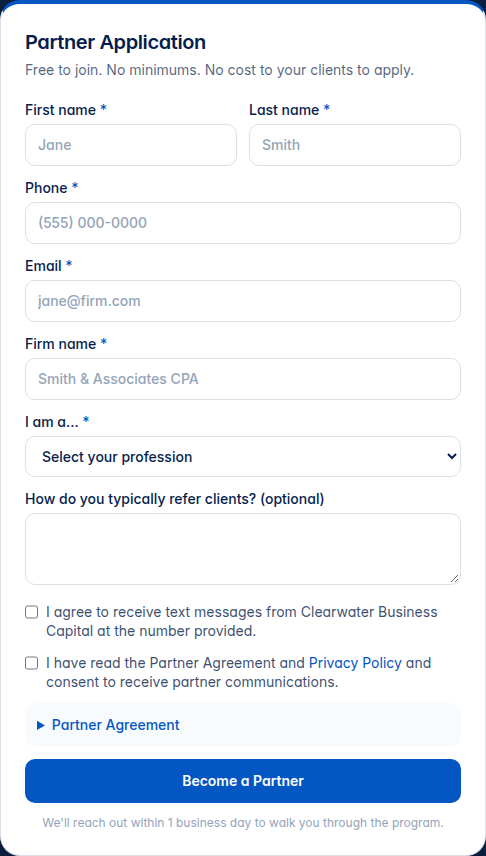
The form asks for your first and last name, phone, email, firm name, and what kind of professional you are. There is an optional note for how you usually refer clients. Read the partner agreement and privacy policy, check the box, then choose Become a Partner. Nothing is sent until you do.
Eliana Mitchell, Business Development Manager, reaches out within one business day.
Sharing
Your referral link
After you are set up, we send you a link to give to clients. It looks like this. The last part is yours. your-firm below is only an example.
https://applyclever.com/cbc/apply/campaign/your-firm
The shape is /{orgSlug}/apply/campaign/{campaignSlug}. For Clearwater, the org part is cbc. Paste the link into an email or a text. Your client opens it and starts the application. You do not have to fill it in for them.
You can also type a deal into the portal yourself. The link is for when you want the client to complete the full application on their own.
What your client sees
The application, step by step
The page is titled Clearwater Business Capital application. It says the page is secure, and that progress is saved automatically. They can close it and come back, or use Save and continue later to email themselves a link. Nothing is submitted until the last step.
These pictures are the empty form. We did not type in a real client or send it.
1. Business
Business name, email, phone, federal tax ID, industry, entity type, state of incorporation, the date the business started under the current ownership, and the business address.
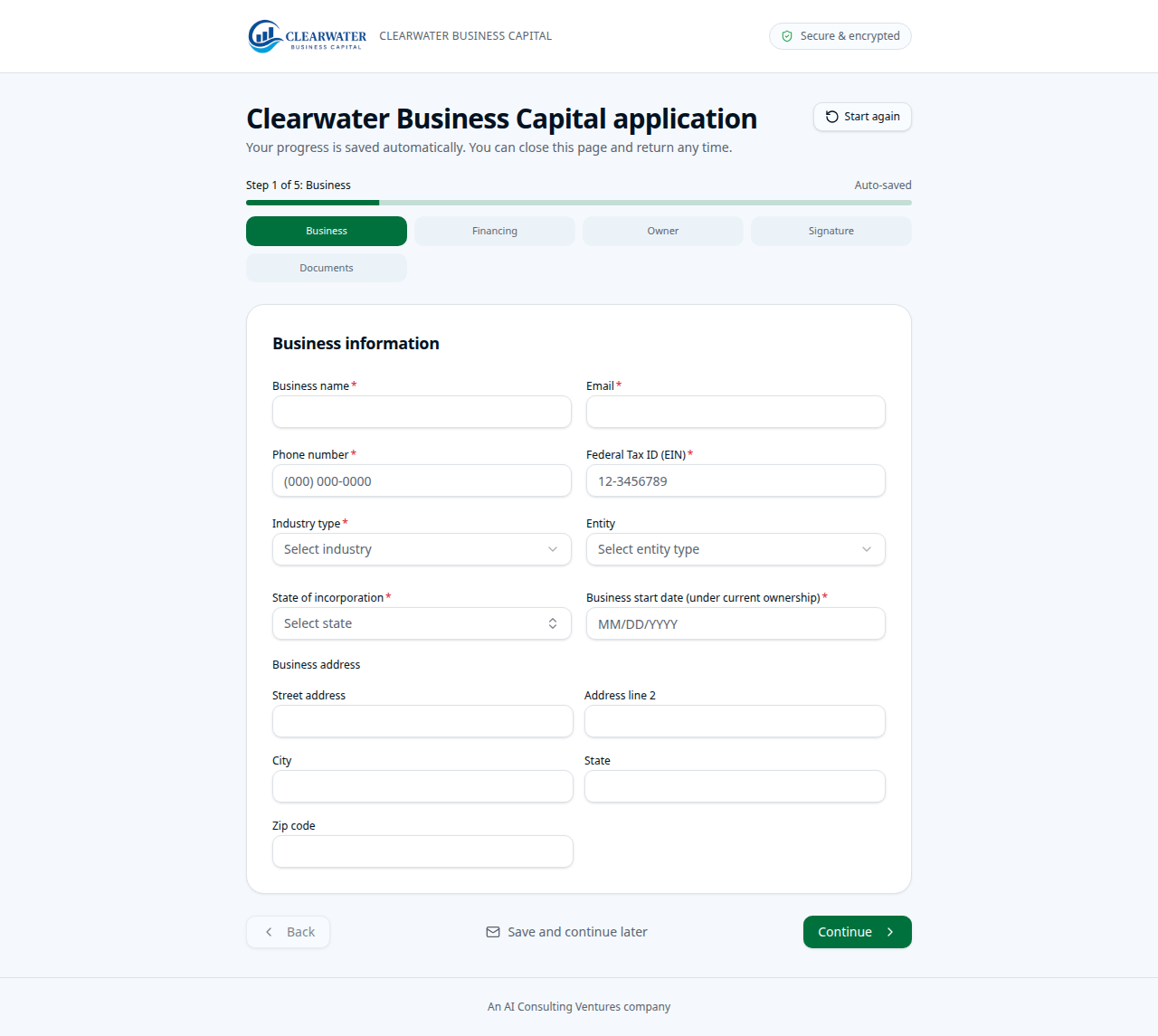
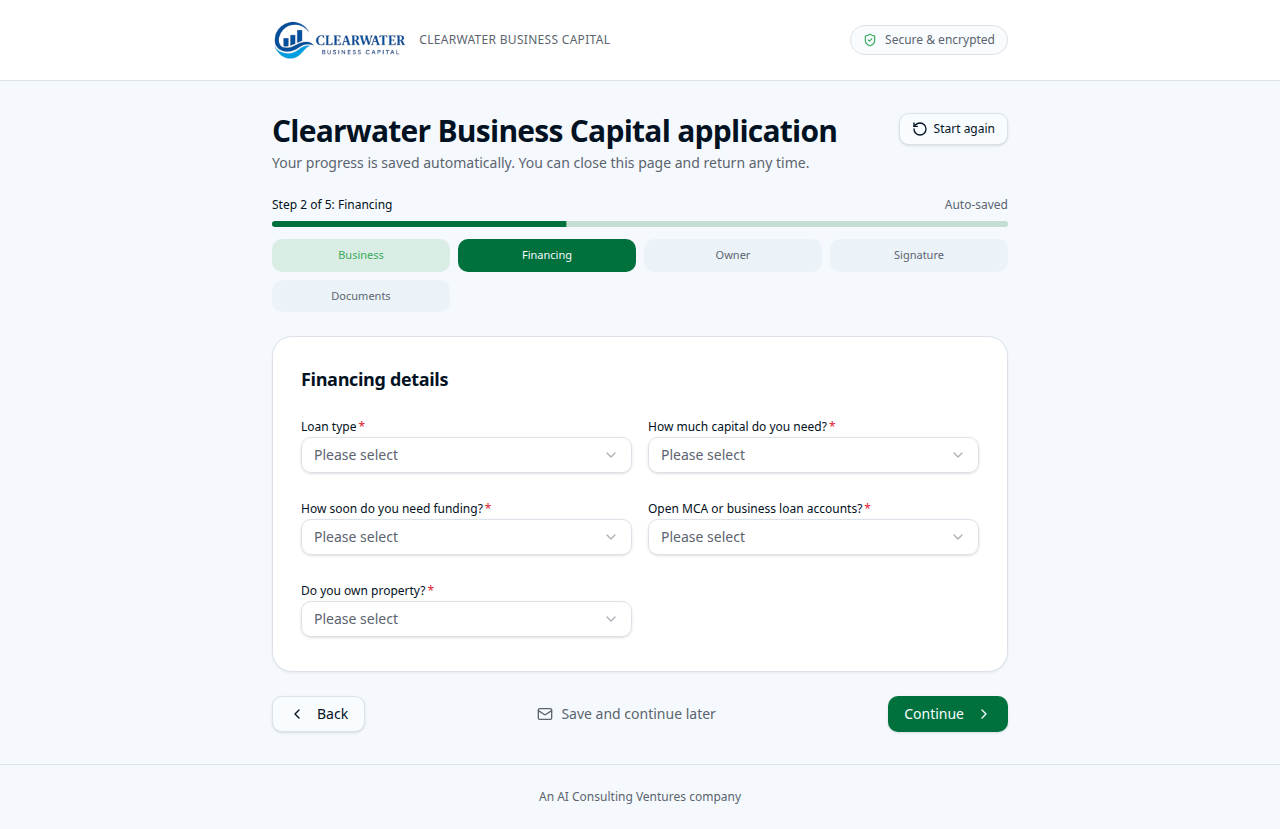
2. Financing
The kind of funding, how much capital they need, how soon they need it, whether they have an open business loan, and whether they own property. If they have an open loan, the form asks for the lender name and balance.
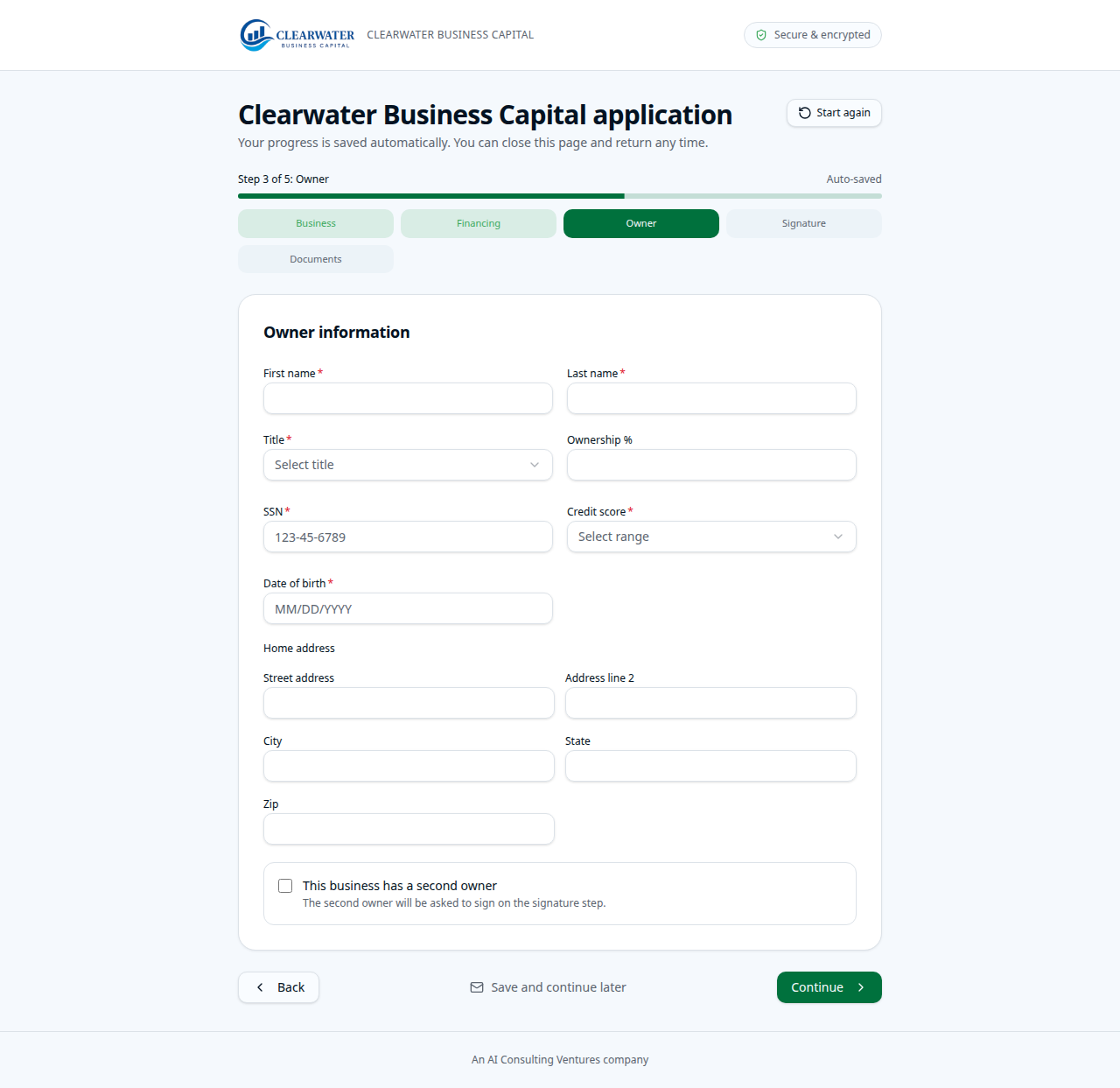
3. Owner
First and last name, title, ownership percent, Social Security number, credit score range, date of birth, and home address. If there is a second owner, they check the box and add that person. The second owner signs on the next step.
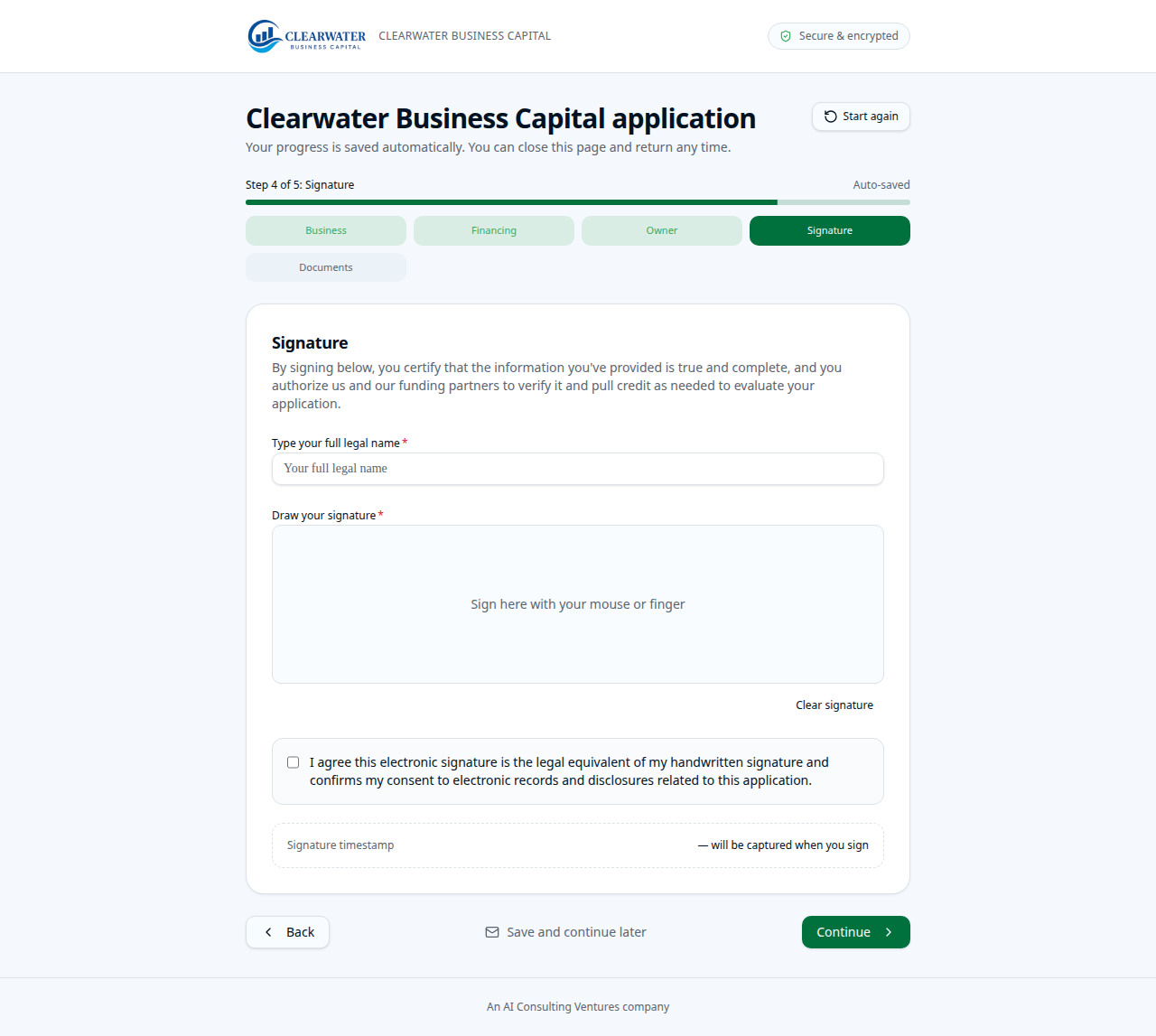
4. Signature
They review the terms when we have added them, type their full legal name, draw a signature, and agree that the electronic signature counts. A time stamp is captured when they sign.
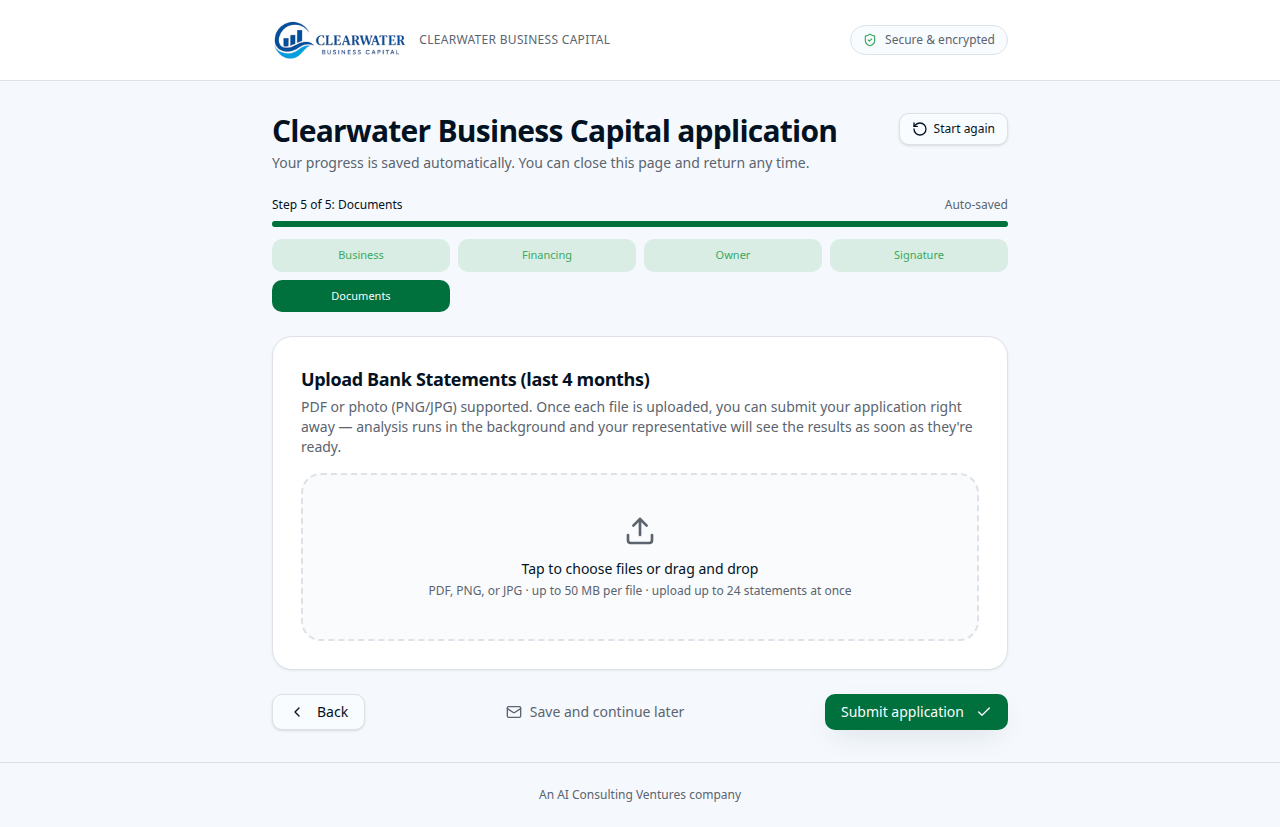
5. Documents
They upload the last four months of bank statements. PDF or a photo is fine. Then they submit. Until they choose Submit application, the file is not sent.
What happens next
A Clearwater rep follows up
After your client submits, a Clearwater rep follows up with them. We do not get between you and your client. If the deal is on your portal account, you will see its status in Your deals. Offers, commissions, and lender names stay with Clearwater. We will talk with you about where the file stands.
If you sent someone through your referral link and do not see them in the portal yet, call or email Eliana Mitchell. She will help you match it up.
Eliana Mitchell, Business Development Manager
813-595-4480 · eliana@cbcsls.com
4301 Anchor Plaza Parkway, Suite 100, Tampa, FL 33634